How to combine W-2s, 1099s and receipts into one PDF
Your tax preparer wants one file. Turn paper into PDFs, put everything in order and send one PDF.
By PDFCheetah · 22 Nov 2026 · 3 min read
Maria in Ohio has two W-2s from two jobs, a 1099-NEC from freelance work, a 1098 from her mortgage lender and a pile of paper receipts. Her tax preparer's email says: 'Please send everything as one PDF.' Some of it is already PDF, downloaded from an employer's payroll site. The rest is paper.
Turn the paper into PDFs
Lay each form on a dark, flat surface and photograph it straight on, in good light. Put the photos into Scan to PDF, drag the corners to the corners of each page so it's flattened and straightened, and download one PDF. Do the same for your receipts, or follow how to scan receipts for taxes with your phone.
Combine everything in the order your preparer uses
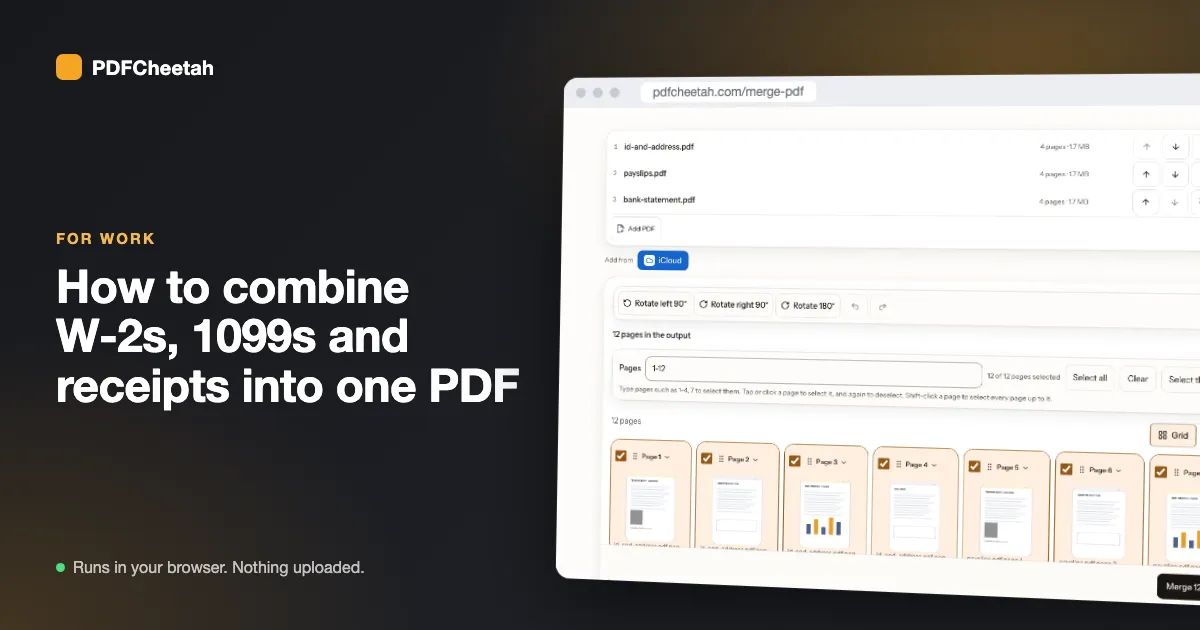
- 1Open Merge PDF and add your files: the downloaded W-2s and 1099s, and the PDFs you made from paper.
- 2Put them in order with the arrows on each file. Income first (W-2s, then 1099s), then deductions such as a 1098, then receipts, is a common order. If your preparer sent a checklist, follow theirs.
- 3Check the preview. Rotate a page that came out sideways, or leave out a duplicate.
- 4Download the combined PDF and give it a plain name, such as 'Maria Lopez 2026 tax documents'.
Before you send it
Phone photos make a big file. If your preparer's portal or your email turns it away, open it in Compress PDF and give it the size you need. And because a W-2 can show your full Social Security number, use your preparer's secure portal if they have one, or password-protect the PDF before you email it.
What Merge PDF won't do
- Read the text in your photos. A photographed form stays a picture, so its numbers can't be searched or copied.
- Combine a password-protected PDF, such as some brokerage statements. Unlock it first with its password.
- Tell you what to file. Your preparer or the IRS decides which forms they need.
Questions people ask
Is it safe to put my W-2 into a website?
On PDFCheetah your files are combined in your browser and never uploaded, so your Social Security number stays on your device. An automated test fails our build if a document's bytes or filename ever reach the network.
Can I add more documents later?
Yes. Open Merge PDF again with the combined file and the new one, and put the new one where it belongs.
Does it work on my phone?
Yes. Scan to PDF and Merge PDF both run in your phone's browser, so you can photograph, combine and send from the same device.