How to rotate a sideways or upside-down PDF and save it
Rotate the pages that came out wrong, put them in order, and keep the fix when you send it.
By PDFCheetah · 21 Nov 2026 · 3 min read
Arjun scanned his rental agreement on the office copier in Pune. Pages 3 and 7 came out on their side, and the whole stack was in reverse. He turned the pages in his PDF viewer and emailed it, and his landlord opened it sideways anyway.
Why the fix didn't stick
Most viewers turn the page on your screen and leave the file alone. Some remember the turn for you, so it looks fixed until someone else opens it. To fix it for everyone, the rotation has to be written into the PDF itself.
Rotate the PDF and save it
- 1If the whole stack is back to front, open Reverse PDF Pages first. The document opens last page first, and one press saves it in the right order.
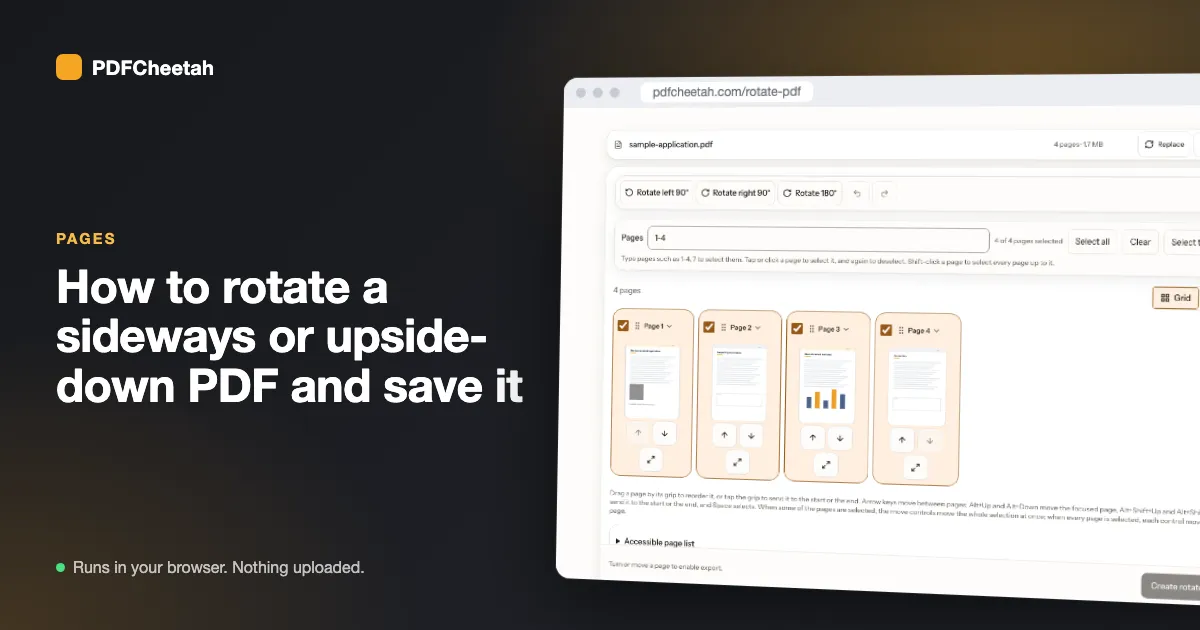
- 2Open Rotate PDF and add the PDF.
- 3Every page starts selected. Choose Clear, then select only the pages that are wrong. Use Select all if every page needs the same turn.
- 4Use Rotate left 90°, Rotate right 90° or Rotate 180° until each preview looks right.
- 5Download the new copy, open it once to check, and send that one.
Rotating changes each page's rotation setting. Nothing is turned into a picture, so the text stays selectable and searchable, and the file is no blurrier than before.
Right way up, still looks wrong?
Wide white edges around a scan aren't a rotation problem. Crop PDF trims them. Turn the pages first, so you crop the edges you meant to.
More video tutorials
What Rotate PDF won't do
- Work out which pages are sideways. You choose them from the previews, which is quick for a few pages and slow for a long mixed scan.
- Rotate several files in one go. It's one document at a time.
- Open a password-protected PDF. Take the password off with Unlock PDF first.
Questions people ask
Why does my PDF go back to sideways after I rotate it?
Your viewer turned the page on screen without changing the file. Rotate PDF writes the new orientation into the document, so it shows the same way in any PDF reader.
Can I rotate just one page?
Yes. Every page starts selected, so choose Clear, select the page you want, then turn it. Each page can be turned a different way.
Is my scan uploaded?
No. The PDF is read and the turned pages are written in your browser, and the new copy is saved on your device. Your original file is left as it was.
How do I rotate a PDF and save it?
Open Rotate PDF, turn the pages that need it, and download the new copy. The rotation is written into the file, so it opens the right way up in any PDF reader.