How to password-protect payslips before you email them
For HR and small businesses: lock each payslip so only the employee can open it.
By PDFCheetah · 21 Nov 2026 · 3 min read
Fatima runs payroll for a twelve-person design studio in Manchester. Her accounts software exports every payslip as one 12-page PDF, and she wants each person to get only their own, locked, by email.
One payslip per file
A password locks a whole file, so start by giving each employee a file of their own. Open Split PDF and choose Every page separately if each payslip is one page, or name the ranges if they run to two. The files arrive together in one ZIP.
Password-protect each payslip PDF
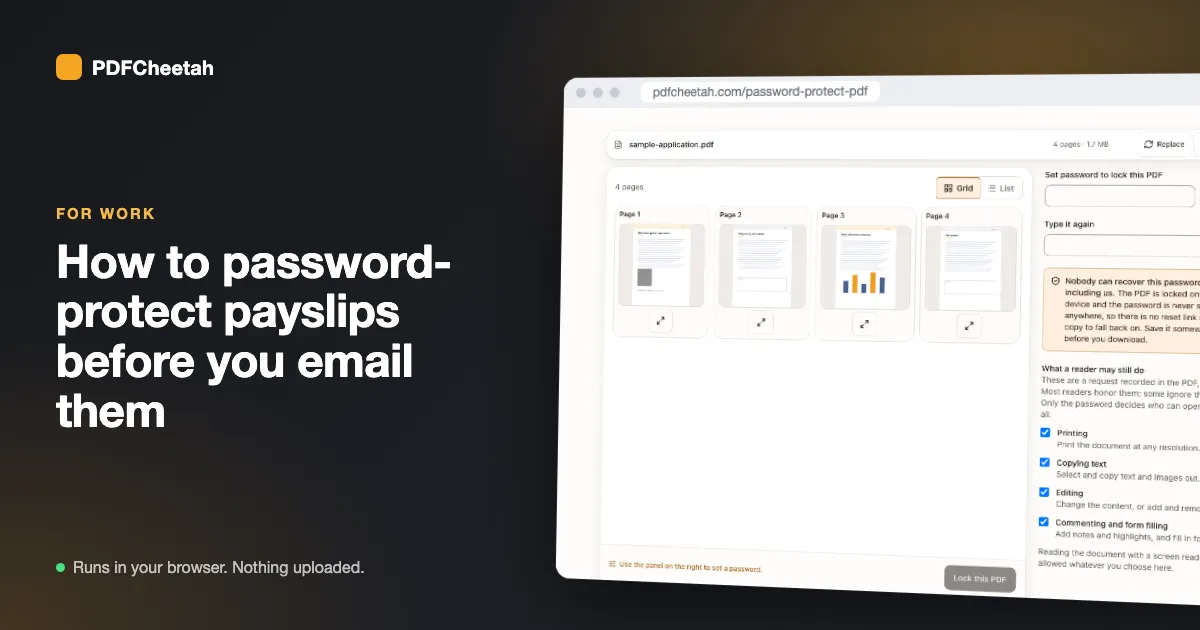
- 1Open Password Protect PDF and add one employee's payslip.
- 2Type the password twice. Under What a reader may still do, leave Printing on so they can print it for a bank or a landlord.
- 3Select Lock this PDF, then Download.
- 4Repeat for the next person, with their own password.
- 5Email each locked payslip. Send the password by text, by phone, or agree it once in person.
What the password does, and what it doesn't
The password is real encryption (AES-256). Without it the payslip can't be read by anyone. The printing and copying settings are different: they're recorded in the file and mainstream readers honor them, but a reader who has the password can choose to ignore them. Rely on the password, and treat the other settings as a request.
Pick something the employee can remember and a colleague can't easily guess. Sending it in the same email as the payslip undoes the point of locking it.
What Password Protect PDF won't do
- Lock a PDF that already has a password. Remove the old one with Unlock PDF first, then set the new one.
- Recover a forgotten password, for you or for the employee.
- Promise the file opens in very old software that predates AES-256. Every current mainstream reader opens it.
Questions people ask
Can the employee still print their payslip?
Yes, if you leave Printing on when you lock it. Copying and editing can be switched off, though those settings are honored by readers rather than enforced.
Is it safe to put payslips into a website to lock them?
On PDFCheetah the payslip is encrypted in your browser and saved on your device. Neither the file nor the password is uploaded, and an automated test fails our build if a document's bytes or filename ever reach the network.
Can I edit the payslip after it's locked?
Not here until the password is taken off again, so make every change first. Locking should be the last step before you send.