How to remove pages from a PDF before you send it
Send three pages of a long statement, or drop the blank and private ones first.
By PDFCheetah · 21 Nov 2026 · 3 min read
Arjun in Chennai is renting a flat, and the agent wants proof of his salary. His bank statement is 14 pages long, and he only wants to share the three pages that show the salary credits, not every transaction he made this year.
Pick the right tool
- Most of the document stays and a few pages go: Delete PDF Pages.
- Most of the document goes and a few pages stay: Extract PDF Pages. It's the same job from the other end, with far less clicking.
- A scan with empty pages scattered through it: Remove Blank Pages.
Delete pages from the PDF
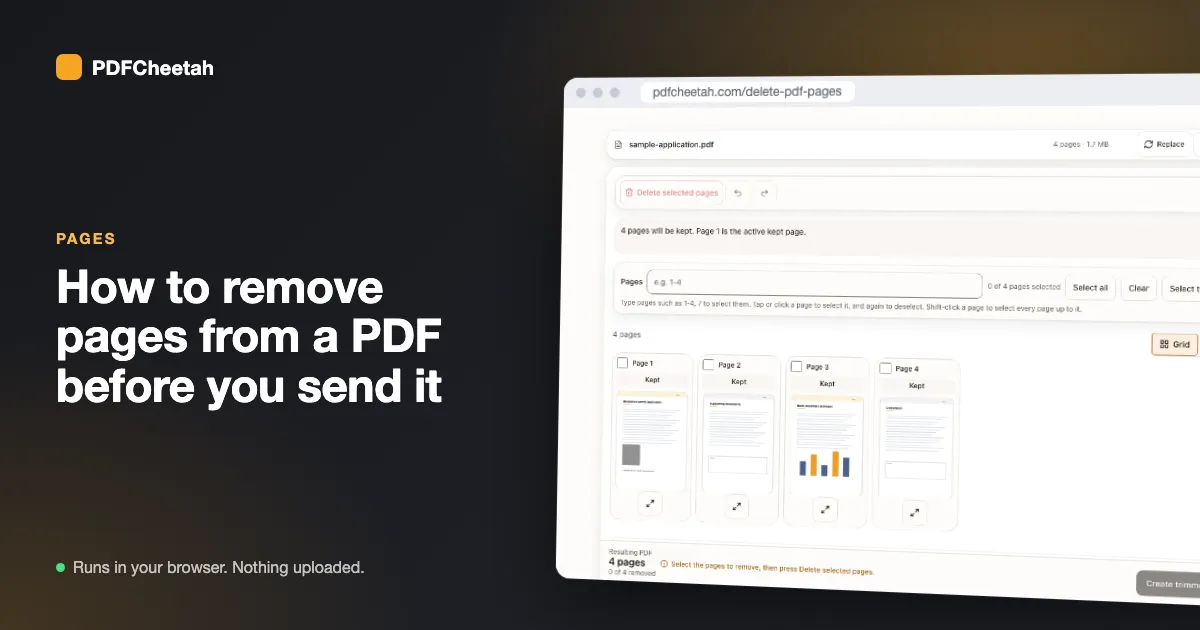
- 1Open Delete PDF Pages and add your PDF.
- 2Select the pages you want gone in the preview, then choose Delete selected pages.
- 3Changed your mind? Select a removed page again to bring it back.
- 4Save the new PDF and open it once before you send it.
Extract only the pages you need
For Arjun's statement, Extract PDF Pages is quicker. Every page starts chosen, so select Clear and tick the three he wants, or type the page numbers, such as 2, 5-6, into the Pages field. He gets one PDF holding just those pages.
Clear out blank pages
A double-sided scan of single-sided paper has an empty page after every real one. Remove Blank Pages checks every page and marks the ones that look empty, then waits for you. Nothing is taken out until you confirm, so look at each marked page first. A very pale mark can be missed.
More video tutorials
What Delete PDF Pages won't do
- Delete every page. The tool stops you rather than giving you an empty PDF.
- Keep bookmarks, form fields or links between pages once any page is left out.
- Remove pages from a password-protected PDF. Unlock it first with its password.
Questions people ask
Does deleting pages change my original PDF?
No. You download a new PDF, and the file you started with stays exactly as it was.
Can I remove the same pages from lots of files at once?
No. Pages are removed from one document at a time.
Is my statement uploaded to remove pages?
No. The pages you keep are written into a new PDF in your browser, on your device. An automated test fails our build if a document's bytes or filename ever reach the network.