How to convert PDF pages to JPG or PNG images
One page for a slide, an Instagram post or a WhatsApp status, sharp and the right format.
By PDFCheetah · 21 Nov 2026 · 3 min read
Rohan's daughter won a school art prize in Jaipur, and the certificate came as a PDF. He wanted it on his WhatsApp status, which only takes pictures. Kavya, a teacher in Kochi, had the opposite problem: one page of a worksheet PDF that she needed on a slide.
JPG or PNG?
Both draw the page the same way. A JPG throws away a little detail to stay small, which suits photos and certificates with pictures on them. A PNG keeps every pixel, so lettering and thin lines stay crisp, which suits a worksheet, a table or a chart. PNG files are larger.
Convert a PDF page to JPG or PNG
- 1Open PDF to JPG, or PDF to PNG for a page that's mostly text, and add your PDF.
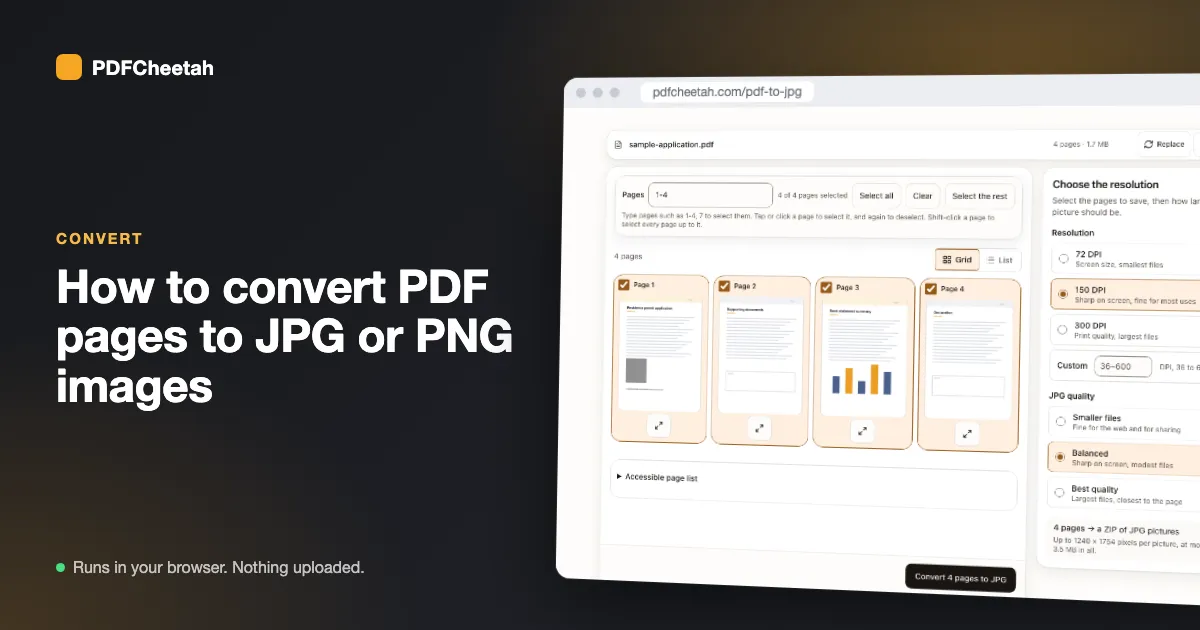
- 2Select only the page you want. One page saves as a single picture. Several arrive in one ZIP, numbered by page.
- 3Choose 150 DPI for a phone, a slide or a post. Choose 300 DPI only if the picture will be printed.
- 4Download the picture. On a phone, Share hands it to WhatsApp or another app.
Need WebP for a website, TIFF for an archive, or GIF or BMP for older software? PDF to Image offers those, as well as JPG and PNG.
A picture of a page is only a picture. Its words can't be searched or copied and its links do nothing. Keep the PDF for anyone who has to read or use the document, and send the picture to people who just need to see it.
More video tutorials
What PDF to JPG won't do
- Pull out the photos stored inside a PDF. It draws whole pages. Extract Images from PDF saves the pictures on their own.
- Save as HEIC. Choose JPG for a small picture an iPhone opens without complaint.
- Open a password-protected PDF. Take the password off with Unlock PDF first.
Questions people ask
Which is better for WhatsApp status, JPG or PNG?
JPG at 150 DPI. It's sharp on a phone screen and small enough to send quickly. Use PNG if the page is mostly small text.
Why is my PNG so much bigger than the JPG?
PNG keeps every pixel exactly, which is the point of the format. To make it smaller, lower the resolution: dropping from 300 to 150 DPI makes the file about a quarter of the size.
Is my PDF uploaded to make the images?
No. Every page is drawn in your browser and saved on your device. Nothing is sent anywhere unless you choose Share.