How to save an email as a PDF for your records
Keep a booking, a receipt or a complaint thread as a PDF you can file or attach.
By PDFCheetah · 21 Nov 2026 · 3 min read
Imran's flight from Mumbai was cancelled, and the airline promised a full refund in an email. Six weeks later there was no refund. To file a complaint he needed that email as a document he could attach and print.
First, save the email as a file
An .eml file is the email itself, saved from your mail app. Most apps can make one:
- Gmail: open the message, then the three-dot menu, then Download message.
- Outlook on the web: open the message's menu and choose Download.
- Apple Mail and Thunderbird: select the message and use File › Save As.
Outlook on a Windows desktop often saves .msg files instead, which can't be read here. Open the same message in Outlook on the web and download it as .eml.
Then convert the .eml file to PDF
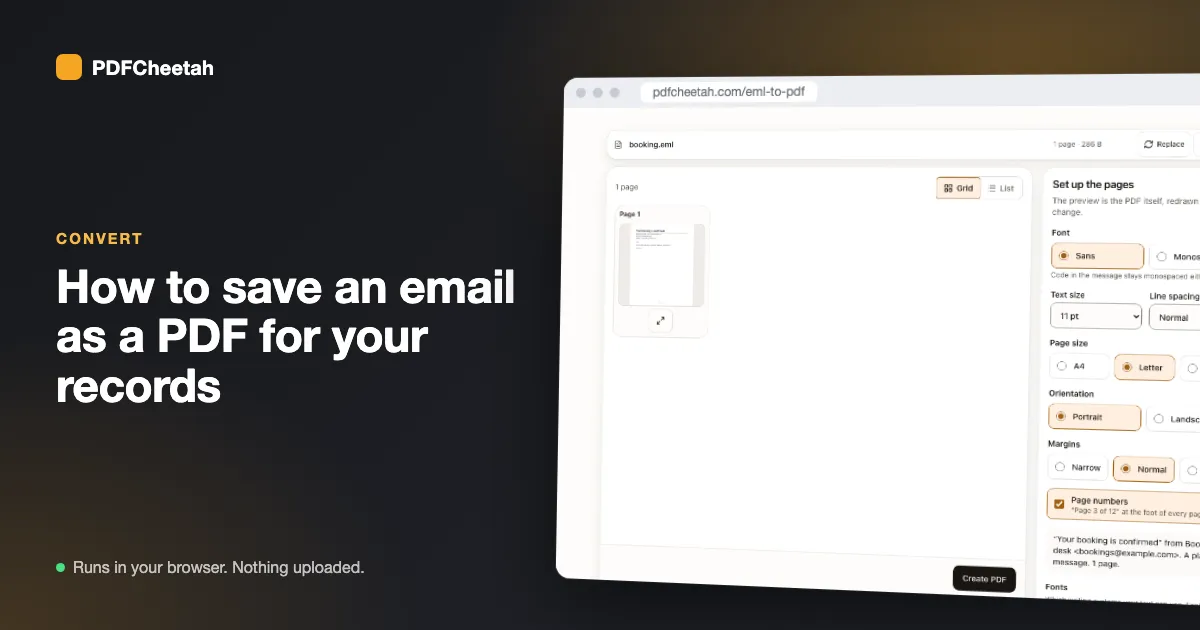
- 1Open EML to PDF and choose the .eml file.
- 2Pick A4, Letter or Legal, a Sans or Monospaced typeface, and the margins.
- 3Download the PDF and check the date, the sender and the message read as you expect.
What the PDF keeps
The subject heads the first page, then the sender, the recipients, anyone copied and the date. Headings, lists and links in the message survive, and pictures sent inside the email are drawn where they belong. The mail app's own fonts and colors aren't used, so you get a plain, consistent record.
Pictures a newsletter loads from the web are never fetched, because loading them tells the sender you opened the mail. The page says how many were left out. Attachments are listed at the end by name and size. A PDF or spreadsheet that came attached stays a separate file.
What EML to PDF won't do
- Read Outlook .msg files. Save the message as .eml instead.
- Fetch pictures linked from the web, or convert attachments into the PDF.
- Convert more than one message at a time. Each file can be up to 64 MB.
Questions people ask
Will the attachments be in the PDF?
They're listed at the end by name and size, and attached pictures are drawn there too. Other attachments, such as a PDF or a spreadsheet, aren't converted. Keep them as their own files.
Can I put a whole email thread in one PDF?
Yes. Make a PDF from each message, then combine them in date order with Merge PDF.
Is my email uploaded?
No. The message is read and the PDF written in your browser, on your device. Nothing is sent anywhere, and nothing the email links to is fetched.