How to sign a PDF without printing it
A rental agreement or offer letter needs your signature today. Sign it on screen and send it back.
By PDFCheetah · 21 Nov 2026 · 3 min read
Karan in Bengaluru has a job offer letter in his inbox, and HR wants it signed and back by tonight. Last month his new landlord in Hyderabad sent a rental agreement the same way. He has no printer, and the cyber café is closed.
For most documents like these, the other side wants to see your signature on the page. You don't need to print anything for that.
Add your signature to the PDF on screen
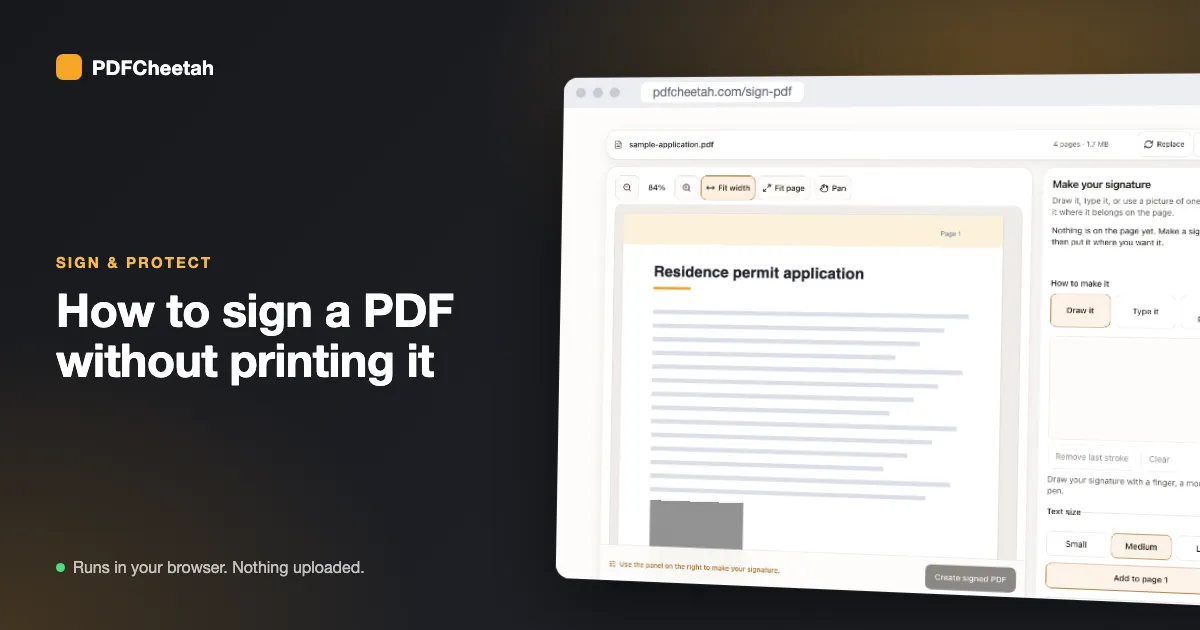
- 1Open Sign PDF and add the document.
- 2Make your signature: draw it with a finger, pen or mouse, type your name, or pick a photo of your signature on paper.
- 3Place it on the signature line. Add a date too if the document asks for one.
- 4If every page needs your initials, place them once, then put the selected mark on every page.
- 5Download the signed PDF and send it back.
What this signature is, and isn't
This is a visible signature: your name or mark on the page. It does the job of signing a printout and scanning it. It does not prove who signed, and it does not show whether the document changed afterwards. Anyone who can open the file can remove it with an editing tool, just as they could with a scanned page.
Some documents need more than that: a certificate-backed digital signature that proves who signed. If yours asks for one, use a service that issues certificates.
Fill in the rest first
If the agreement has blanks for your name, address or PAN, fill those before you sign. Use Fill PDF Form if it has boxes you can type into, or Edit PDF to add text if it doesn't. If you want typed answers fixed so they can't be changed, save the form flattened, or run it through Flatten PDF, and then sign.
What Sign PDF won't do
- Make a certificate-backed digital signature. It doesn't prove identity or lock the document.
- Sign a password-protected PDF. Take the password off with Unlock PDF first.
- Write in colours other than black. A picture of your signature keeps its own colours.
Questions people ask
Is a signature added this way legally valid?
It's a visible signature, like signing a printed page and scanning it. Whether that's enough depends on the document and who asked for it. If a document asks for a certificate-backed signature, this isn't one, so check with the sender if you're unsure.
Is my signature saved anywhere?
No. It exists only with the document you have open and is gone when you clear it or leave the page. Nothing is uploaded or stored in your browser.
Can I sign on my phone?
Yes. Draw on the pad with your finger, then download the PDF or send it with Share.